You Can Now Talk to Your Hard Drive. Here is Why That Actually Matters.
Every disk cleaner created in the last twenty years forces you to act like a file system inspector digging through endless folders. You stare at trees of nested directories, trying to remember if a folder created three years ago is an essential system library or an abandoned side project. Conversational storage intelligence fundamentally changes this paradigm by allowing you to query your drive using natural language.
What's Actually Going On
Storage management is a knowledge problem, not just a deletion problem. Users hesitate to clean their drives because they do not know what is safe to remove.
Traditional tools treat every file as an anonymous blob of bytes, leaving the cognitive burden of categorizing files entirely on the user.
By applying a privacy-first local language model to filesystem metadata, software can explain why a file exists, who created it, and what will break if you delete it.
How Conversational Storage Changes Everyday Maintenance
1. Zero Cloud Transmission (100% On-Device)
Orbit’s AI model runs locally on your computer. It reads only filesystem metadata (file names, sizes, extensions, and timestamps). Your documents, photos, and file contents are never read, uploaded, or transmitted to any remote server.
2. Contextual Safety Advice
Ask "What happens if I delete this 18GB .vhdx file?" Orbit explains: "This is a virtual disk for Docker WSL2. Deleting it will erase local containers and images, but your project source code remains intact."
3. Actionable Cleanup Batches
Ask "Queue all uncompressed video render exports older than 90 days for review." Orbit compiles the list, presents clear thumbnails, and awaits your approval before staging them in the vault.
We got tired of doing this manually — that's exactly why we built Orbit.
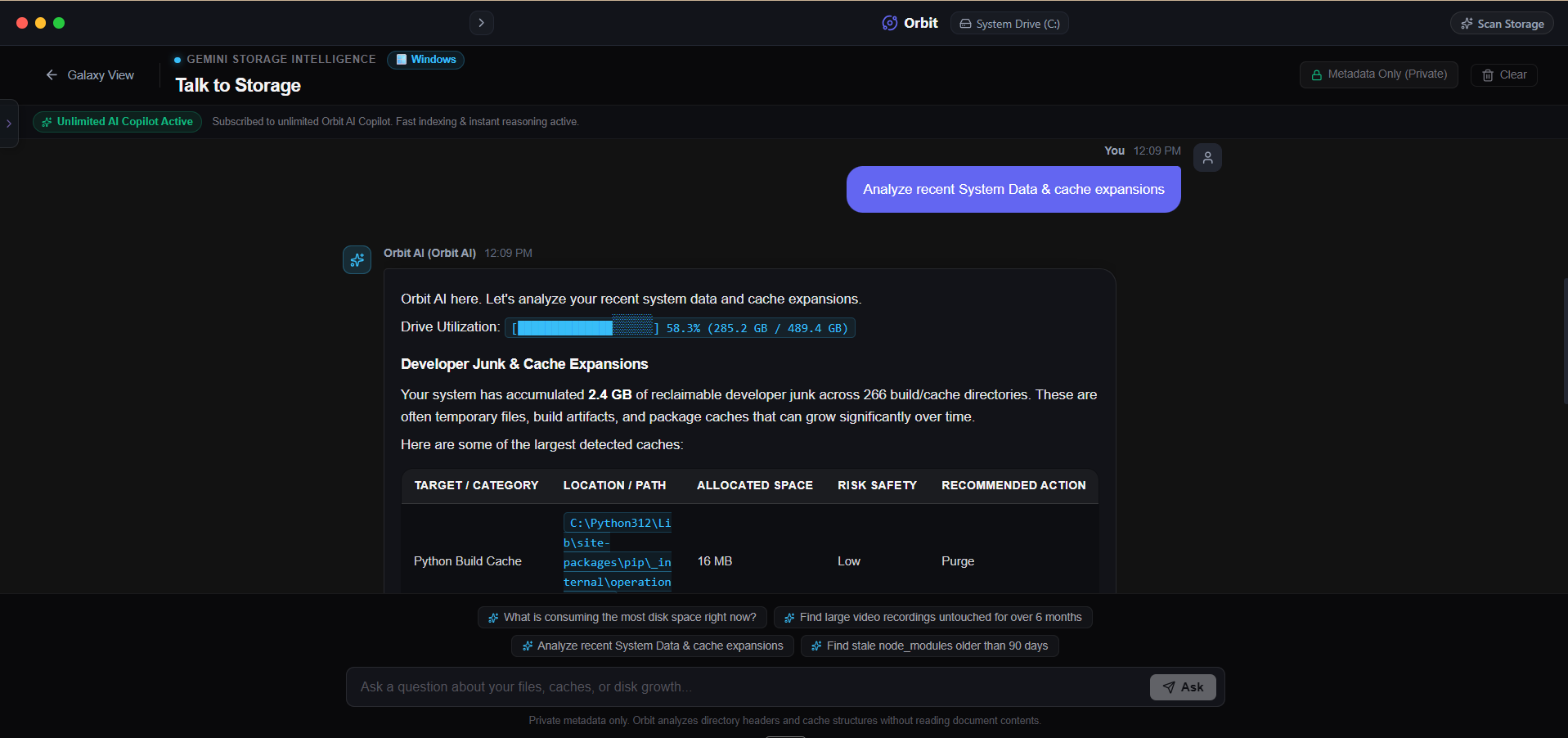 Orbit combines local privacy with conversational intelligence for your hard drive.
One More Thing
Never trust a cloud-based AI cleaner that asks you to upload directory trees or file indices to an external server.
Directory trees contain sensitive information, including client names, project codenames, and private document structures that belong strictly on your local device.
The Verdict
Use Manual Method if: Use traditional directory tree tools if you prefer manually hunting through file paths and inspecting raw file sizes yourself.
Use Orbit if: Use Orbit if you want a private, conversational assistant that helps you understand your storage without sending a single byte off your machine.
Finding these files too slow?
Orbit visualizes your entire drive — Mac and Windows both — so you see exactly where space is going before you delete anything.
Continue Reading
Instead of guessing, I typed the question straight into our storage AI. Here is the exact answer it gave — and how it found the cause in seconds.
Read guide →'Find Videos I Haven't Opened in a Year' — Testing Natural-Language Storage SearchNo filters, no folders, just a plain-English question. Here is what happened when we asked our own AI to hunt down forgotten video files.
Read guide →Why I Stopped Trusting 'One-Click Clean' ButtonsAutomated cleaners delete first and hope later. Here is why every file we remove sits in a recoverable vault for 30 days before it is actually gone.
Read guide →