Why I Stopped Trusting 'One-Click Clean' Buttons
You press a shiny green "Clean Now" button on an automated disk tool, and thirty seconds later your browser lost all its logins and your code editor settings vanished. There is a completely rational reason why millions of technical users avoid disk cleaners: fear. Most automated tools treat file deletion as an irreversible, one-way action. They guess what you don’t need, delete it immediately from your disk, and leave you with no undo button when an application breaks.
What's Actually Going On
Aggressive cleaners often classify local SQLite databases (such as saved sessions, bookmarks, and plugin states) as generic "cache" files.
When files are permanently purged or sent to an already-full operating system Recycle Bin or Trash, recovering them requires costly data recovery tools.
Users end up tolerating a full drive rather than risking the loss of critical work or application configurations.
The 30-Day Safety Vault Architecture
1. Staging Instead of Immediate Deletion
When you clean space in Orbit, files are not permanently unlinked from your storage drive. Instead, they are moved into Orbit’s local encrypted Safety Vault.
2. Transparent 30-Day Recovery Period
All quarantined files remain fully restorable to their exact original folder locations for 30 days. If an app complains about a missing preference, you can restore it with a single click.
3. Zero-Risk Automated Storage Recovery
You get immediate free space right away because the vault compresses and reallocates blocks, and permanently purges only after 30 days of zero issues.
We got tired of doing this manually — that's exactly why we built Orbit.
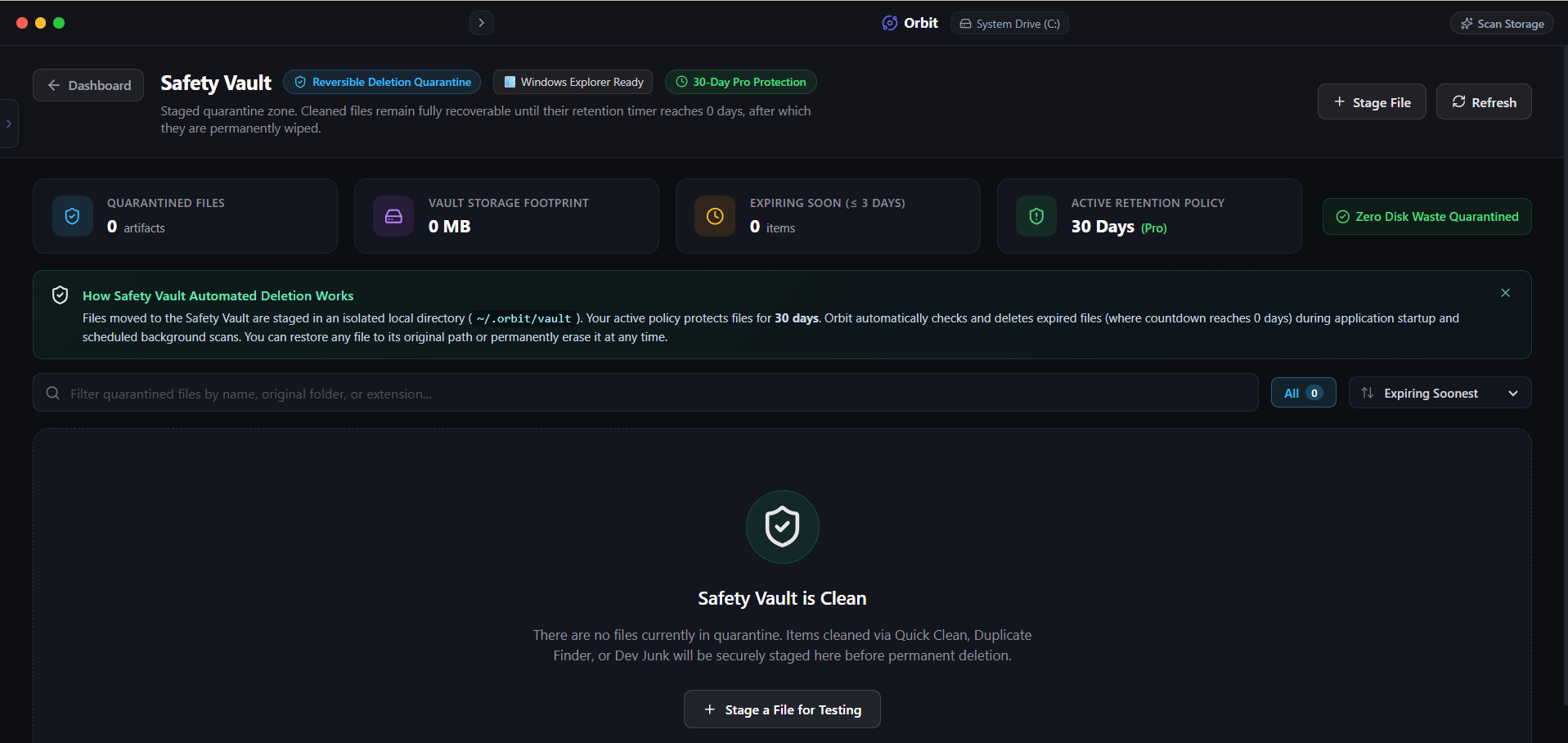 Orbit Safety Vault eliminates the fear of accidental deletion with complete audit trails and instant restore.
One More Thing
You can configure the Safety Vault retention window in Orbit’s settings to 7 days, 14 days, or 30 days depending on your storage headroom.
If you are running critically low on disk space and need emergency capacity right now, you can also empty the vault manually at any time.
The Verdict
Use Manual Method if: Use standard OS Trash or Recycle Bin if you only delete files manually one by one from File Explorer or Finder.
Use Orbit if: Use Orbit if you want the speed of batch cleaning without ever worrying about breaking your system or losing critical files.
Finding these files too slow?
Orbit visualizes your entire drive — Mac and Windows both — so you see exactly where space is going before you delete anything.
Continue Reading
Most duplicate finders only work on one OS. Here is how to find exact and near-duplicate photos across both machines from a single scan.
Read guide →'Am I Safe to Delete This Before My Flight?' — We Asked Our Storage AIA real test of asking our built-in AI to free space fast, with plain-English confidence ratings instead of just raw file sizes.
Read guide →Uninstalling an App on Mac Doesn't Actually Delete ItDragging an app to Trash leaves behind caches, preferences, and support files — sometimes gigabytes. Here is how to find every leftover.
Read guide →