I Asked AI Why My Mac Lost 20GB Overnight. Here is What It Found.
You close your MacBook lid with 45GB free, open it the next morning, and macOS greets you with a "Disk Almost Full" alert. You did not download any 4K movies or export massive video files. Finder gives you zero clues, and Apple’s built-in Storage panel lumps the entire drop under the mysterious grey bar labeled "System Data." We tested what happens when you skip manual folder digging and ask our on-device AI assistant directly.
What's Actually Going On
Sudden overnight storage loss on macOS is almost always caused by local APFS Time Machine snapshots or Docker virtual disk expansion.
When Time Machine cannot reach an external backup drive or NAS overnight, macOS creates hidden local snapshots inside /System/Volumes/Data/.
Standard disk visualizers only take a single snapshot of your current state, making it impossible to see the difference between what changed yesterday and today.
The Conversation That Solved the Mystery
1. Asking the Natural Language Query
In Orbit, we typed: "What changed on my drive between yesterday at 6 PM and this morning at 9 AM?" Within 3 seconds, Orbit’s local index compared filesystem timestamps and responded with the exact culprit.
2. Reviewing the Exact Diagnosis
Orbit returned: "14.2GB was allocated to 3 local APFS Time Machine snapshots (com.apple.TimeMachine.*), and 5.8GB was written to Docker Desktop’s virtual disk container (Docker.raw)."
3. Purging Local APFS Snapshots via Terminal
To reclaim the 14GB of snapshots immediately without waiting for an external backup, you can list and delete them directly with tmutil.
tmutil listlocalsnapshots /; tmutil deletelocalsnapshots $(tmutil listlocalsnapshotdates / | tail -n 1)We got tired of doing this manually — that's exactly why we built Orbit.
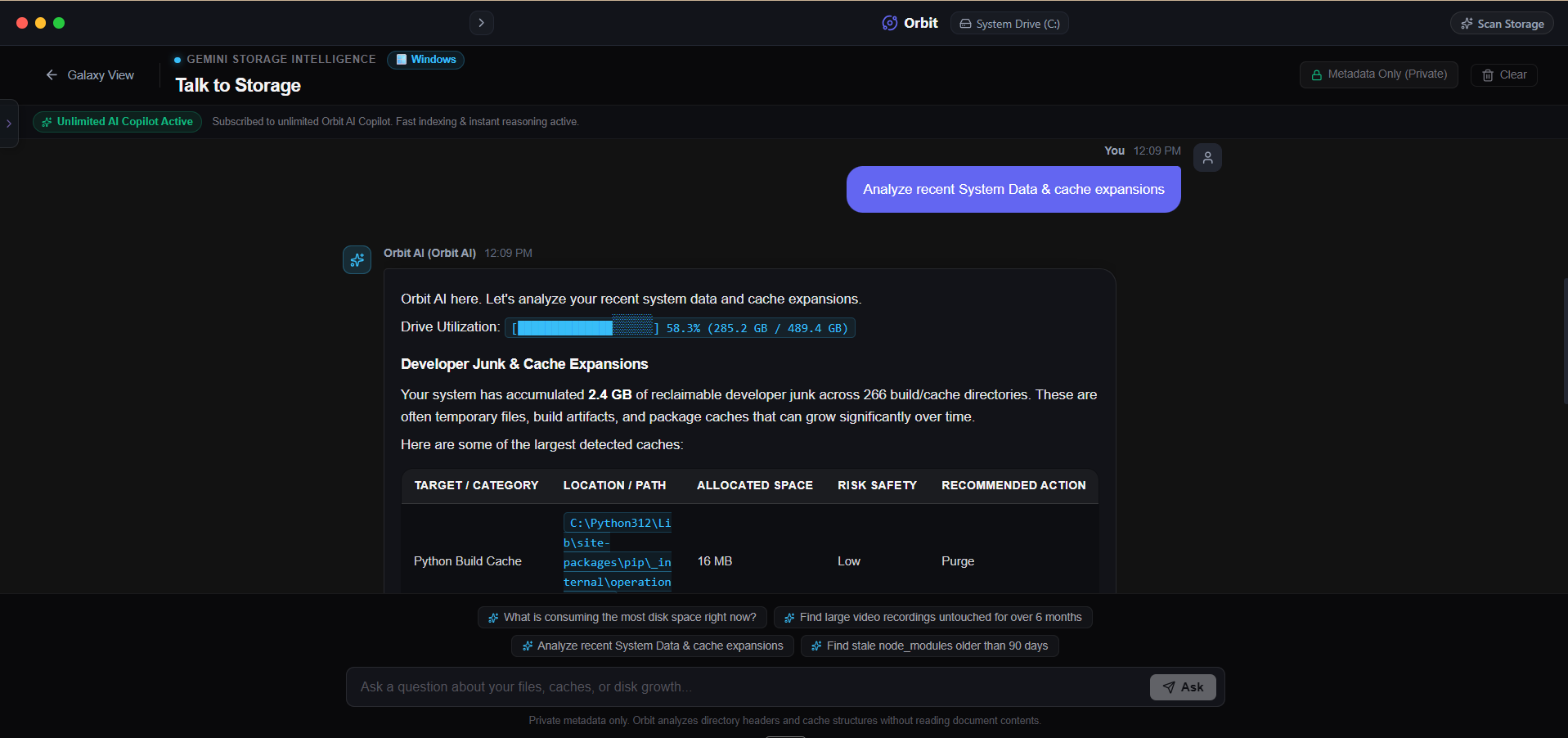 Orbit turns disk diagnostics into a direct conversation, identifying sudden spikes instantly.
One More Thing
macOS will eventually purge local APFS snapshots automatically if your available free space falls below a critical threshold.
However, if you are actively editing high-bitrate video or compiling Xcode projects, waiting for macOS to auto-purge snapshots will cause system freezes.
The Verdict
Use Manual Method if: Use tmutil commands in Terminal if you already know APFS snapshots are the cause and are comfortable working in the command line.
Use Orbit if: Use Orbit if you want an AI assistant to diagnose sudden capacity drops automatically without running manual file diffs.
Finding these files too slow?
Orbit visualizes your entire drive — Mac and Windows both — so you see exactly where space is going before you delete anything.
Continue Reading
No filters, no folders, just a plain-English question. Here is what happened when we asked our own AI to hunt down forgotten video files.
Read guide →You Can Now Talk to Your Hard Drive. Here is Why That Actually Matters.Every storage tool makes you dig through folders yourself. Here is what changes when you can just ask instead — with real example queries and answers.
Read guide →What Is WinSxS and Why Is It 40GB on Your C: Drive?The WinSxS folder looks like 40GB of pure waste, but deleting it wrong can break your next Windows Update. Here's what's actually in there and how to shrink it safely.
Read guide →