Paying for Two Cleaner Apps Because You Own a Mac and a PC? Here is One That Covers Both.
Software vendors love charging you twice: $39 a year for a Mac cleaner, plus another paid license when you sit at your Windows PC. Millions of people use a dual-OS workflow: a MacBook on the go and a custom PC for gaming, 3D rendering, or development. Yet the storage utility market remains stubbornly fragmented into Mac-only boutiques and Windows-only legacy tools, forcing you to pay twice and remember two different interfaces.
What's Actually Going On
Apps like CleanMyMac and DaisyDisk refuse to support Windows, while tools like WizTree and TreeSize offer zero macOS builds.
Building cross-platform disk utilities is technically difficult because macOS uses APFS snapshots and Sandboxed Unix permissions, while Windows uses NTFS security descriptors and MFT structures.
Most vendors find it easier to market high-priced annual subscriptions to Mac users separately from one-time enterprise licenses on Windows.
The Benefits of a Unified Storage Platform
1. Single License Covers Both Operating Systems
Orbit Pro provides a unified cross-platform license. You can activate Orbit across your MacBook and your Windows workstation without paying twice.
2. Consistent Keyboard Shortcuts and Visual Layouts
Enjoy the same intuitive treemaps, swipe triage, and AI search experience whether you are pressing Command on macOS or Control on Windows.
3. Unified 30-Day Safety Vault on Both Machines
Both platforms include Orbit’s local safety vault, ensuring that whatever you clean can be restored with a single click if needed.
We got tired of doing this manually — that's exactly why we built Orbit.
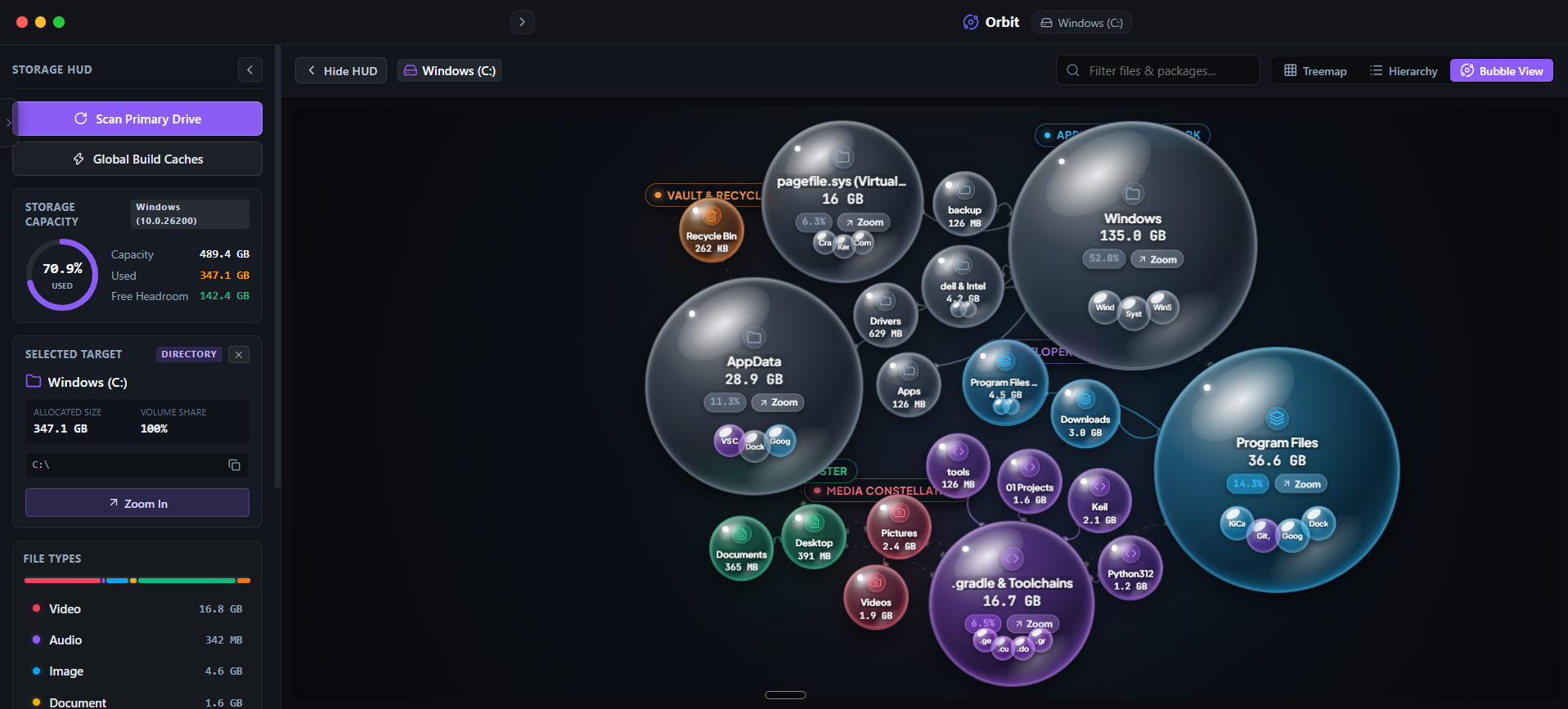 Orbit runs natively on both Apple Silicon macOS and Windows 11 with zero subscription lock-in.
When Single-OS Tools Actually Make Sense
If you exclusively use one operating system and know with 100% certainty that you will never buy or use another platform, dedicated single-OS utilities work fine.
However, the moment you add a secondary laptop or work across both operating systems, managing separate utilities becomes inefficient.
The Verdict
Use Alternative if: Use separate single-platform tools if you only ever use one device and never anticipate switching environments.
Use Orbit if: Use Orbit if you own both a Mac and a PC and want one clean, unified tool that solves storage on both machines.
Finding these files too slow?
Orbit visualizes your entire drive — Mac and Windows both — so you see exactly where space is going before you delete anything.
Continue Reading
DissectMac is Mac-only. If you run Windows too, here is a storage analyzer that gives you the same visual clarity on both machines from one app.
Read guide →One Scan, Two Drives: Finding Every Dead Project Folder Across Your Mac and PCIf you code on both machines, you have double the dead dependency folders. Here is how to clean both from one place instead of switching tools.
Read guide →Finding Duplicate Photos on Mac and Windows Without Two Separate AppsMost duplicate finders only work on one OS. Here is how to find exact and near-duplicate photos across both machines from a single scan.
Read guide →