DissectMac Alternative: A Storage Analyzer That Also Works on Windows
DissectMac is one of the cleanest disk visualizers for macOS, but if you switch to a Windows desktop, you are completely locked out. Modern workflows rarely stay on one platform. Many developers, designers, and creators carry a MacBook for meetings and code on a Windows workstation at home. Buying separate storage tools means managing two separate licenses and learning two completely different keyboard shortcuts.
What's Actually Going On
DissectMac is built natively for macOS Cocoa and APFS file systems, with no planned support or engine architecture for Windows NTFS.
Windows disk analysis requires low-level Master File Table (MFT) access and USN Journal parsing, which requires a totally different scanning engine than Apple APFS snapshot inspection.
Most storage apps choose one operating system and ignore the other, leaving cross-platform users juggling legacy tools like WinDirStat alongside sleek Mac apps.
What an All-in-One Cross-Platform Analyzer Delivers
1. Unified Visual Treemap on macOS and Windows
Orbit provides identical interactive radial and treemap visualizations on both macOS and Windows 11. You get instant visual identification of bloated files regardless of which keyboard you are sitting at.
2. Native APFS Snapshot & NTFS MFT Engines
Under the hood, Orbit connects directly to Apple APFS snapshot APIs on macOS and parses the NTFS Master File Table on Windows, scanning 1TB in under 12 seconds on both operating systems.
3. Cross-Platform 30-Day Safety Vault
Deleted files are moved to Orbit’s local encrypted safety vault on both platforms, giving you a full 30 days to restore accidental deletions with one click before permanent disk deallocation.
We got tired of doing this manually — that's exactly why we built Orbit.
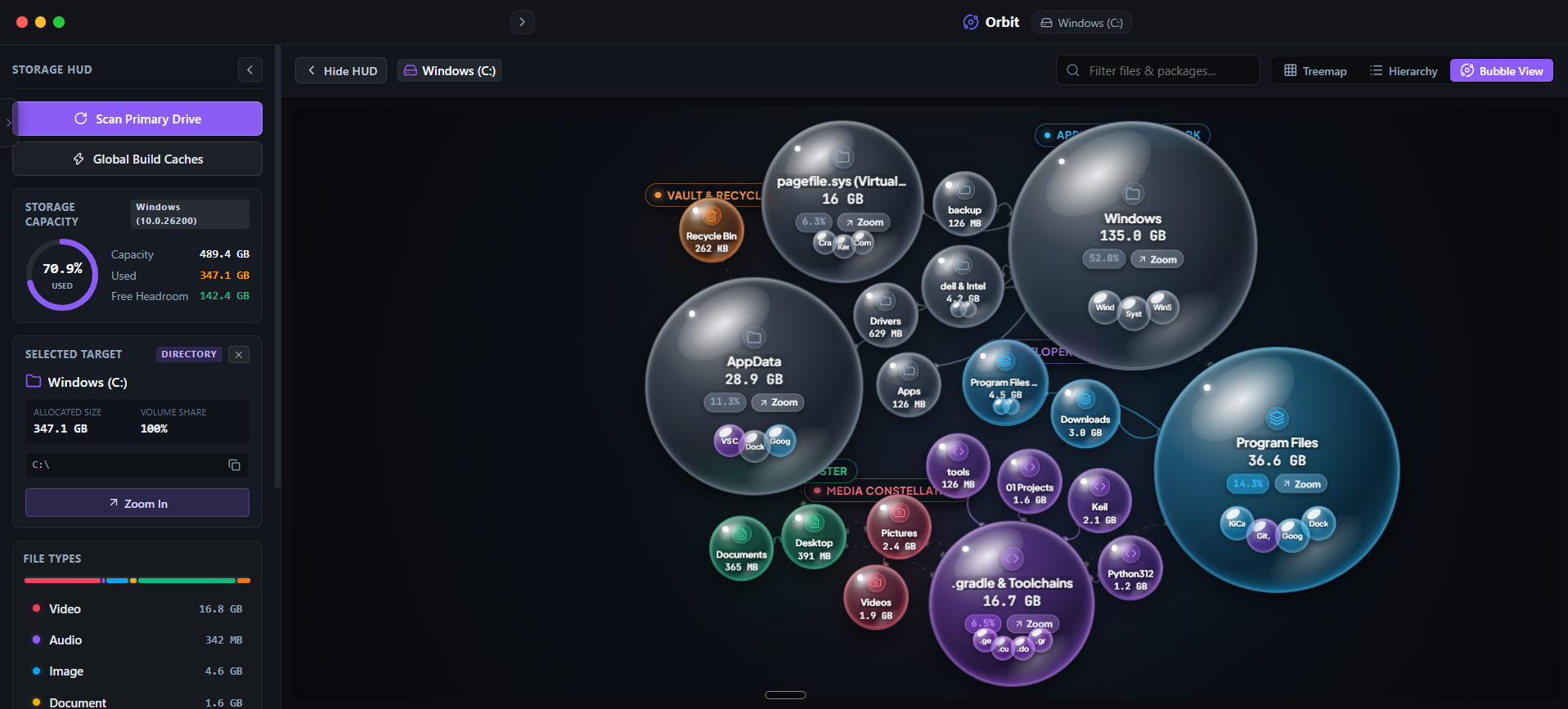 Orbit delivers the same responsive, modern UI whether you are on Apple Silicon or Windows 11.
When DissectMac Actually Makes Sense
If you work strictly inside the Apple ecosystem, own only Macs, and never touch a Windows machine, DissectMac is a focused and polished native macOS choice.
Its tight focus on macOS aesthetics makes it a great single-platform tool if you do not need Windows support, developer cache purges, or AI query search.
The Verdict
Use Alternative if: Use DissectMac if you only use macOS and want a dedicated single-platform tool for APFS drives.
Use Orbit if: Use Orbit if you use both Mac and Windows and want a single modern tool with AI storage search across all your devices.
Finding these files too slow?
Orbit visualizes your entire drive — Mac and Windows both — so you see exactly where space is going before you delete anything.
Continue Reading
The WinSxS folder looks like 40GB of pure waste, but deleting it wrong can break your next Windows Update. Here's what's actually in there and how to shrink it safely.
Read guide →WizTree Alternative: Same Scan Speed, a UI That Doesn't Look Like 2010WizTree is fast because it reads the USN Journal directly — so do we. Here is what a modern interface on top of that same speed actually looks like.
Read guide →Paying for Two Cleaner Apps Because You Own a Mac and a PC? Here is One That Covers Both.Most storage tools force you into separate apps and separate subscriptions per OS. Here is what one license covering both actually looks like.
Read guide →